How to Redeem Fallen Lineage Codes
Unlock requirements, exact UI steps, and fixes when a working code still fails.
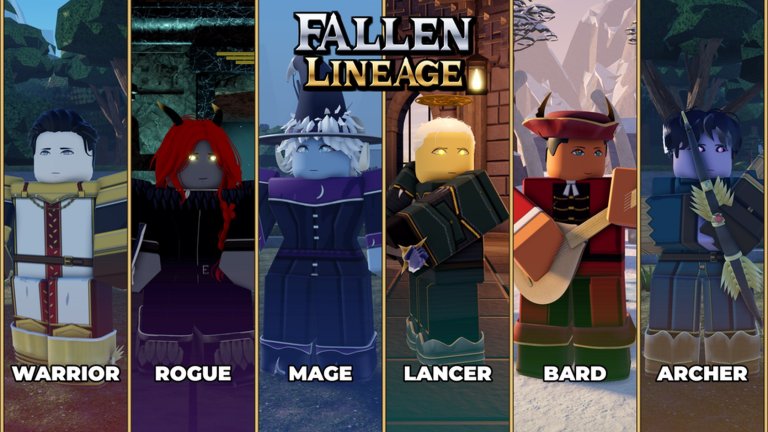
Promo codes in Fallen Lineage unlock free rewards, Reroll Tokens, Reset Orbs, and Lives—currencies that matter on hard turns and unlucky race rolls. This guide walks through every unlock requirement, the exact in-game path to the Codes tab, and the troubleshooting steps that resolve most failed redemptions. Pair it with the live list on the Codes Hub so you never type an expired string.
Fallen Lineage is a Roblox turn-based roguelite RPG by odanos, released October 18, 2026. You can run solo or party with up to four players. Codes are account-bound through the Roblox place UI; there is no separate website redeem portal for these promo strings.
Unlock requirements (do these first)
Before you open the Shop, finish this checklist. Skipping any item is the top reason a valid code returns an error:
- Playtime — Spend roughly 30 minutes in Fallen Lineage on the account that will redeem. Short hops in and out often do not count as enough time.
- Official group — Join the official Roblox group tied to the experience (odanos / Fallen Lineage). Leave and rejoin only if Roblox failed to register the first join.
- Like the game — On the Roblox place page for Fallen Lineage, tap Like. A thumbs-up on a different Lineage-named game does not count.
Complete all three, then rejoin the experience once so the server refreshes your eligibility flags.
Step-by-step: redeem inside the game
- Launch Fallen Lineage from Roblox (place link on this wiki’s site meta / Roblox page).
- Wait until the main HUD finishes loading—do not mash menus during cutscenes if the Shop is still locked.
- Look to the right side of the screen and open the Shop icon.
- Inside Shop, select the Codes tab (not the paid catalog tabs).
- Click the text field and enter the code exactly as listed on the Codes Hub.
- Press Redeem and watch for a success toast or inventory update.
- Repeat for each active code. Do not mix expired codes into the same session spam—clear failures first.
Case sensitivity reminder
mybelovedcritsmust be typed in lowercase. Uppercasing it will fail even when the code is still live.- Codes such as
SOMANYSHUTDOWNS,PARAGUAY,400CCU, andUPDATE2should match the casing published on the hub table. - Avoid leading or trailing spaces when pasting from chat or Discord mirrors.
Active codes to try after setup
As of November 2026, redeem these once requirements are met:
| Code | Typical rewards |
|---|---|
SOMANYSHUTDOWNS | Free rewards |
mybelovedcrits | 3 Reset Orbs |
PARAGUAY | Free rewards |
400CCU | 3 Reroll Tokens + 1 Life |
UPDATE2 | 2 Reroll Tokens + 2 Lives |
Skip UPDATE1, EARLY, and EARLY2—all three are expired.
What you receive and why it matters
Understanding rewards helps you decide redeem order and spend priority:
- Reroll Tokens — Reroll race or build options when a start feels unplayable for your style.
- Reset Orbs — Reset build choices after a bad allocation without abandoning the whole progression path.
- Lives — Continue after a loss; valuable on difficult stretches where the game already challenges some players.
Read Rerolls and Lives for spend timing, and Getting Started if you still need the first-hour loop before farming playtime.
Troubleshooting when a code fails
Work through this list in order. Most failures resolve before the fifth step.
1. Confirm the code is still active
Open the Codes Hub and check the active table. If the string sits under expired (UPDATE1, EARLY, EARLY2), stop retrying—it will never succeed.
2. Re-check the three requirements
- Playtime under ~30 minutes → stay in a normal session a bit longer, then rejoin.
- Group not joined → join the official group from the Roblox website or app, then rejoin the place.
- Like missing → like the correct Fallen Lineage place, not a similarly named experience.
3. Fix typing and paste errors
- Remove spaces before or after the code.
- Match case exactly, especially for
mybelovedcrits. - Do not append punctuation from chat messages.
- Try typing manually if paste inserts invisible characters.
4. Refresh the session
Close Shop, leave the experience, wait a few seconds, and rejoin. Eligibility flags sometimes update only after a clean session start. Then reopen Shop → Codes and redeem again.
5. One account, one redeem
Codes generally grant once per account. A second redeem on the same Roblox user will fail even when the code is still globally active. Switch accounts only if you intentionally maintain alts—and never share passwords.
6. Server or maintenance blips
After large patches or shutdown waves (the kind that inspired codes like SOMANYSHUTDOWNS), the Codes tab can lag. Wait a few minutes, check Updates for maintenance notes, then retry.
Party and solo notes
Redeem on the account that owns the inventory you care about. Sitting in a four-player party does not redeem for teammates; each player must open Shop → Codes on their own client. Solo players should clear codes before a long climb so Lives and Tokens are ready when a bad race roll appears.
Safety habits
- Only use codes published for Fallen Lineage. Strings from Rogue Lineage or Lineage Piece will not work and waste time.
- Never enter codes on fake “redeem” websites that ask for your Roblox password.
- If you also experiment with automation tools, read the safety section on Scripts and keep valuable accounts separate.
Related pages
- Codes Hub — full active and expired tables
- Rerolls and Lives — how Tokens, Orbs, and Lives spend
- Getting Started — beginner path while you farm the playtime gate
Once requirements are done, redeeming takes under a minute per code. Keep this page bookmarked for the UI path, and always cross-check the hub before hunting brand-new strings after an update.
Frequently Asked Questions
Quick answers to the most common questions.
Where is the Codes tab in Fallen Lineage?
Launch the game, open the Shop icon on the right side of the HUD, then switch to the Codes tab. Enter the code exactly and press Redeem.
What do I need before codes will work?
About 30 minutes of playtime, membership in the official Roblox group, and a Like on the Fallen Lineage place. Rejoin after finishing the checklist.
Why does mybelovedcrits fail when other codes work?
That code is case-sensitive and must be entered in lowercase as mybelovedcrits. Uppercase or mixed case versions are rejected.
Can my whole party redeem with one click?
No. Each player redeems on their own account through Shop → Codes. Party size (up to four) does not share code grants.
I already redeemed UPDATE2—can I redeem it again?
Usually no. Codes grant once per Roblox account. Check the Codes Hub for other still-active strings you have not claimed yet.